Art generation, at a glance: all Duckdoku art was made with OpenAI's image API (
gpt-image-2 for the main art,
gpt-image-1 for a couple of later images),
medium quality, generated close to
1080p (1920×1088, the nearest size the tool allows). Images came back as
sprite sheets — several poses in one picture — and were cut into the individual images the game uses. On
Day 9 I re-ran the same sheets at
low quality to compare price and look.
Sound and visual effect packages used (all from the Unity Asset Store, plus a couple of custom lines):
- Ultimate Casual Game SFX and Music Pack
- Gamemaster Audio — Fun Casual Sounds
- A few custom sound effects made with ElevenLabs
- Hyper Casual FX (Lana Studio)
- Cartoon FX Remaster (JMO Assets)
- DOTween, for animation
Example prompts I used
These are real prompts, copied straight from my own notes, not re-written for this page.
Sheet 1 — duck faces (8 poses, one sheet)
A game sprite sheet on a perfectly flat, solid pure magenta (#FF00FF) background, 1920x1088, for a cute mobile puzzle game called Duckdoku. A 4 columns x 2 rows grid of 8 separate poses of the SAME character head, each centered in its own equal cell with wide empty magenta space between them, nothing touching, no text, no labels, no borders.
Character: a chubby, round, fluffy 3D-rendered duck HEAD (head only, no body). Soft glossy Pixar-style 3D render, smooth clay-like materials, soft studio lighting, clean edges. White-and-butter-yellow feathers, a small orange flat beak, big round glossy dark eyes with white highlights, tiny cheek blush, small feather tuft on top. Cute, friendly, slightly goofy. Exactly the same character and same size in every cell, the head fills about 70% of the cell height.
Poses, left to right, top row then bottom row:
1. Looking straight at the viewer, calm, mouth closed.
2. Eyes looking to the top-left, head slightly turned to the top-left.
3. Eyes looking to the top-right, head slightly turned to the top-right.
4. Winking at the viewer with the LEFT eye closed, tiny happy smile.
5. Winking at the viewer with the RIGHT eye closed, tiny happy smile.
6. Very happy, eyes closed in joy, beak open in a smile.
7. Sad and worried, eyes looking down, small tear.
8. Sleepy, eyes half closed.
The flat magenta background was a trick: my cutting script turned every magenta pixel transparent automatically, so I never had to manually erase a background.
Logo and splash sheet
Game sprite sheet on a perfectly flat solid pure magenta (#FF00FF) background, 1920x1088, for the cute mobile puzzle game Duckdoku. Every item sits in its own equal grid cell with wide empty magenta space around it, nothing touching or overlapping, no text unless stated, no borders, no drop shadow onto the background. Art style: glossy soft 3D-rendered Pixar-like look, smooth clay-like materials, soft studio lighting, warm cozy palette (cream, orange #F0931F, soft yellow, teal, pink, deep brown). The duck must be EXACTLY the same character as in the attached reference sheet: chubby round fluffy white-and-butter-yellow duck, small orange flat beak, big glossy dark eyes, pink cheek blush, small feather tuft on top.
A logo and splash sheet: on the left, a large 3D bubble-letter logo reading exactly DUCKDOKU in glossy orange (#F0931F) and cream letters with a subtle thick outline, where the letter O in DUCK has a little duck head peeking out of it; below the logo a small tagline reading exactly "Think. Place. Solve." in soft brown. On the right, a tall wide splash illustration of the duck sitting happily on a small rounded 4x4 coloured puzzle grid (teal, orange, pink, green tiles) with sparkles.
App icon (later, 3D version)
App icon, square, 1024x1024, full bleed, no border, no text. Background: a 3D glossy diagonal split, top-right a glossy raised orange 3D panel, bottom-left a glossy raised deep purple 3D panel, both with visible thick rounded 3D grid lines like raised sudoku tile borders and soft drop shadows between panels, giving a real depth and bevel look. In the top-right orange panel a small chunky 3D white rounded X-shaped tile icon with its own drop shadow, sitting slightly above the surface. Centered and large, covering most of the icon: a fully 3D rendered pixar-style baby duck head, realistic soft fluffy fur shading, glossy big brown eyes with catchlight, glossy orange beak with a warm smile, soft rim light and ambient occlusion, the duck sits forward with a drop shadow onto the panels behind it, strong sense of 3D volume and depth like a modern 3D mobile game icon. Bright, polished, high-detail 3D render, no flat shapes, no text, no watermark.
Featured graphic (Play Store banner)
Mobile game store featured graphic, 1536x1024 landscape banner. Warm cream background with soft orange glow. Top-left game logo text: bold rounded playful cartoon letters spelling DUCKDOKU, yellow and orange colors with a thin brown outline, small star decoration near the logo. Center-left: a bright colorful sudoku-style grid board tilted slightly, made of rounded square tiles in soft pastel colors (blue, yellow, pink, teal, purple, green), some tiles have a white X mark, a couple of tiles have a small cute cartoon duck face sticker on them. Right side: one large adorable 3D pixar-style baby duck character, yellow fluffy feathers, big brown sparkly eyes, big rounded beak, giving a thumbs-up with a wing, waving with the other wing, big friendly smile, sitting beside the grid. Bottom: a colorful rounded pill-shaped banner with bold white text outlined in orange reading Sudoku without Numbers. Bright, cheerful, polished 3D mobile game art style, high detail, soft shadows, vibrant colors.
Background swap (an edit, not a fresh generation — kept the same duck, only changed what's behind it)
Keep the cute 3D fluffy baby duck exactly the same, same pose, same face, same lighting. Replace only the background: a colorful sudoku-style puzzle grid board made of rounded square tiles in soft pastel colors (blue, yellow, pink, teal, purple, green), some tiles have a white X mark, seen at a slight angle, warm soft glow behind it, a few small sparkle stars floating around. Bright cheerful 3D mobile game art style.
Duckdoku: building a game in public
A puzzle game where you place one duck in every color, row and column, and ducks can't touch. I am building it from a single idea to a polished game, and I am writing down every step.
Day 1: From a chat to a plan
The idea
I love the cat puzzle game Meowdoku by Oakever Games. I wanted to know: can I build my own version, with my own theme and my own art? I asked ChatGPT.
The answer was: copy the mechanics (the rules), not the assets (art, sounds, levels). So I chose ducks instead of cats, and the name Duckdoku.
I kept four ChatGPT chats, in order. They are my design notes:
- Clone game mechanics. Rules, puzzle generator, screens, ads, coins, streaks.
- Player Income per Minute (IPM). A way to set every price and reward from "how many minutes of play is this worth?"
- Hints and the name. Three kinds of hints. Names like Capydoku, Foxdoku... I chose Duckdoku.
- The duck helper. A duck button that flies onto the board and places one correct duck.
The rules of Duckdoku
- The board has colored areas. Every color must get exactly one duck.
- One duck per row and one per column.
- Ducks cannot touch, not even on the corner.
- You have 3 hearts. A wrong duck costs a heart.
- Tap a cell once to cross it out. Double-tap to place a duck.
My reference screenshots
I took 23 screenshots of Meowdoku: the splash, the tutorial, the grid, the hint bar, the profile, the daily streak and the "Bravo" win screen. They are my style guide. I replace every cat with a duck.
One thing I checked before building: the shared chat and my screenshots did not match on the animal (chat: ducks, screenshots: cats). That is expected. The screenshots are what I copy, the chat is what I build. I also noticed that the chat says the cat is "2D with 3D-style parts", while I see it as a 3D cat. So I made the duck a 3D-looking picture inside a 2D game.
The 3D duck idea
In the reference, the cat looks to the top-left or top-right, and sometimes winks at you. It also winks when you place it on the grid. My game is 2D, but my duck is a 3D render. To get this feeling, I swap between rendered poses:
straight -> look top-left / top-right -> back -> (sometimes) wink
Day 1: Making the art (and what it cost)
Price check
I saved a screenshot of the OpenAI price table (gptprice.png). For GPT Image 2, medium quality:
| Size | Price |
|---|
| 1024 x 1024 | $0.053 |
| 1024 x 1536 | $0.041 |
| 1536 x 1024 | $0.041 |
I wanted 1080p. That is 1920 x 1080. The tool needs sizes that divide by 16, and 1080 does not, so I used 1920 x 1088. That has about 33% more pixels than 1536 x 1024, so I guessed about $0.055 per sheet.
Sprite sheets, not single images
Making 58 separate images would cost far more. So I asked for 7 sprite sheets, one image each, and cut them into pieces myself with a small Python script.
| # | Sheet | Contents |
|---|
| 1 | Duck faces | 8 poses: straight, look top-left, look top-right, wink left, wink right, happy, sad, sleepy |
| 2 | Dance and win | 6 dance poses with party hat and glow sticks |
| 3 | Duck actions | wave, thumbs up, flying helper, detective, golden duck, thinking |
| 4 | UI kit | buttons, panels, hearts, coins, X marks, bulb, stars, hand, check |
| 5 | Streak and rewards | feather-nest streak icon (on / off), gift box, day markers, treasure chest |
| 6 | Avatars | 8 duck profile pictures |
| 7 | Logo and splash | DUCKDOKU logo and the splash duck |
I made sheet 1 first and checked it. It looked right, so I used it as the reference picture for the other sheets. That is how the duck stays the same duck in every sheet.
One trick: I asked for a flat magenta background. Then my script turns magenta into see-through pixels.
Cost
- Budget I set: up to $1.
- Image calls made: 8 (7 sheets, plus 1 retry because sheet 6 hit a rate limit and made no image).
- My estimate: about $0.055 x 7 = about $0.39.
- I will compare this with the real number on the OpenAI billing page and correct it here.
(sprite sheets: see Assets/Art/Sheets, cut sprites: Assets/Resources/Sprites)
What was not perfect
- In the logo, the duck head covers the letter C, so it reads like "DU(duck)KDOKU". I will fix that later.
- The font I use for now is Arial Rounded MT Bold from Windows. It looks close to the reference, but I must swap it for a free font before I release.
Day 1: The puzzle engine
I built the brain of the game before any screens. Three parts:
- Generator. It places ducks so no two touch, grows colored areas around them, then checks the puzzle has exactly one answer. If not, it tries again. The same level number always gives the same puzzle.
- Solver. Counts solutions, up to 2. This is how I know a puzzle is fair.
- Board. Holds the state: crosses, ducks, hearts, score, undo, hints, helper.
Hints
The hint bulb finds a real deduction and says it in words, like "This color has only one place left!" Then it glows the color and shows a hand on the cell.
Money (from my IPM chat)
Reward = expected solve minutes x income per minute.
4x4 = 100 coins/min, and it grows with board size. A hint or a helper duck costs 100 coins once free ones run out. You get 3 free helper ducks per day.
Day 2: Sound (and a scare)
I bought the Ultimate Casual Game SFX and Music Pack on the Unity Asset Store. I told Unity to import it, and that was a mistake: the pack is 5.6 GB and Unity started copying all of it into my project. My disk was filling up, and Unity froze for many minutes. I closed Unity, moved the project to a bigger drive, and reopened it.
Lesson: look at the size of a package before you import it. Then I opened the package file myself and picked only 13 sounds (about 14 MB). They are in Assets/Resources/Audio:
I picked 13 sounds from the pack to cover the game's actions and screens: placing a duck, crossing out a cell, a mistake, winning, a hint, the helper duck, buttons, the streak page, and background music.
I cannot hear the sounds while I build, so I chose the quack by its name and length. I need to listen and swap it if it sounds like a car horn, not a duck. To change a sound, I only replace the file with the same name.
Day 2: Building the game in Unity
How it is built
The whole UI is built from code when the game starts. One empty object in the scene, Duckdoku, holds a script called GameApp. It makes the canvas, the menu, the game screen and the popups. This keeps everything easy to change, and the Hierarchy is still fully visible while playing.
Screens I made (all copied from the reference, with ducks)
- Splash. The logo and the duck pop in.
- Menu. Profile picture, coins, settings, streak, logo, Play, Daily Challenge.
- Game screen. Level, score, 3 hearts, a row of duck icons (one per color), the three rules, a coach message, the board, and three buttons: Undo, Helper duck, Hint.
- Bravo screen. A dancing duck with glow sticks, confetti, and the coin reward.
- Lose screen. A sad duck. Try again, or continue for 200 coins.
- Streak screen. The feather nest, current and best streak, and the 7-day row with a gift at the end.
- Profile with 8 duck avatars, and Settings with a Sound switch.
The duck that winks
The board duck is a picture, but it acts alive:
- Every 2 to 5 seconds it looks to the top-left or top-right, waits, looks back, and sometimes winks at me.
- When I place a duck, it winks right away and pops in.
- On the Bravo screen all ducks cheer.
Test results
I tested the rules by playing through with code, not just by looking:
- Wrong duck: loses a heart, the cell gets crossed out, the cell shakes. Works.
- Cross-out and double-tap placing. Works.
- Hint: says "This color has only one place left!" and the hand points at the right cell. Works.
- Win: coins, score, next level and streak all update. Works.
- Puzzle generator: 25 puzzles for each size, checked to have exactly one answer.
| Size | Puzzles with exactly one answer | Speed |
|---|
| 4x4 to 7x7 | 25 of 25 | under 0.1 second |
| 8x8 | 25 of 25 | 0.14 s average, worst 0.6 s |
| 9x9 | only 7 of 25 | about 1 second |
So I stopped the game at 8x8. A smarter region builder is on my to-do list for 9x9.
Bugs I found and fixed today
- The score counted twice after a win (800 instead of 400).
- The Play button had a pink ring from the magenta background. I now cut it out by color.
- The Undo button looked exactly like Back, so I added small names under the round buttons.
- On the profile popup, the Confirm button covered the avatars.
- The win glow had a hard edge. I made a soft glow.
Screenshots
The game only
| |
|---|
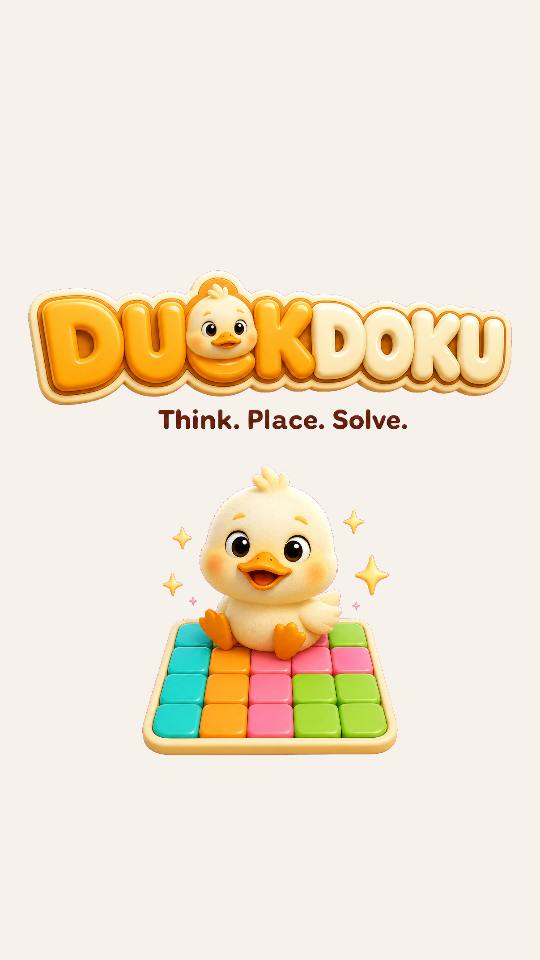 Splash | 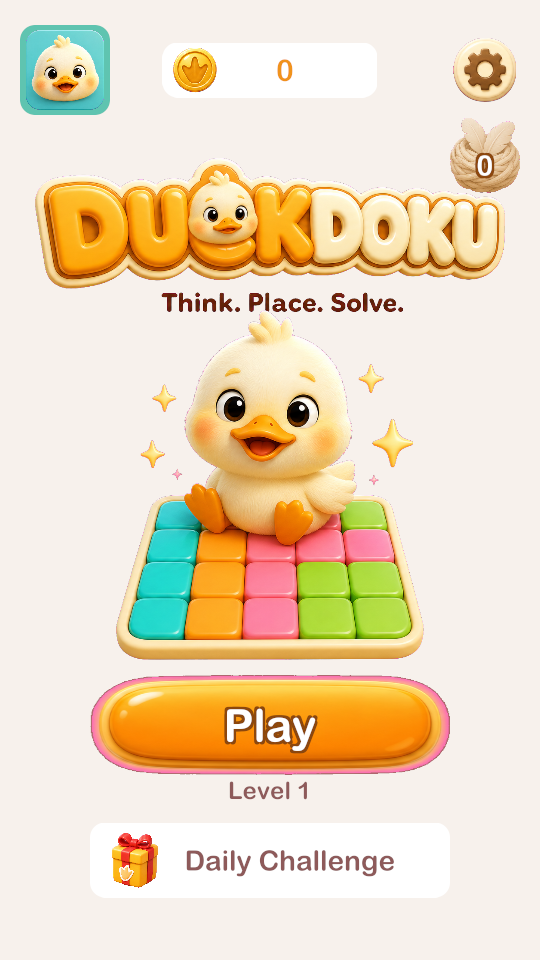 Menu |
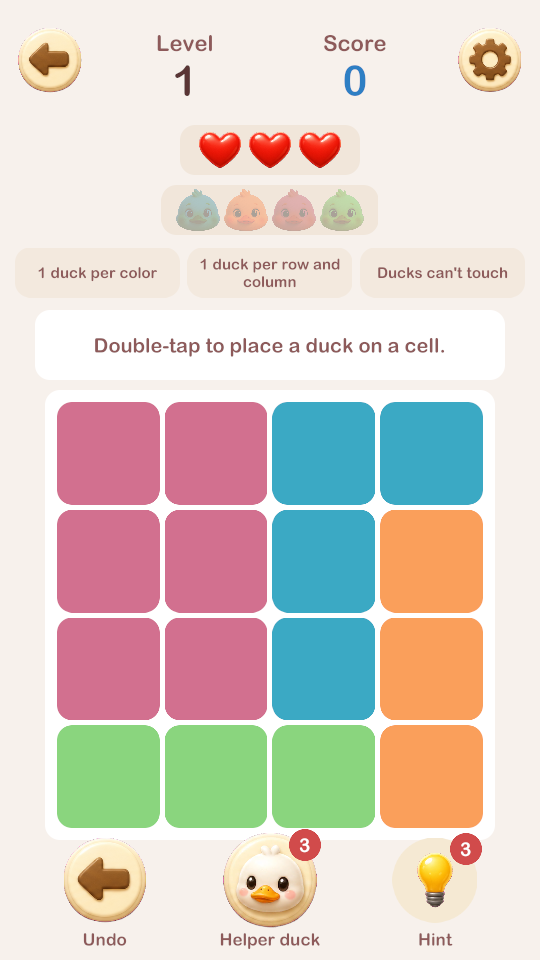 Level 1, the first puzzle | 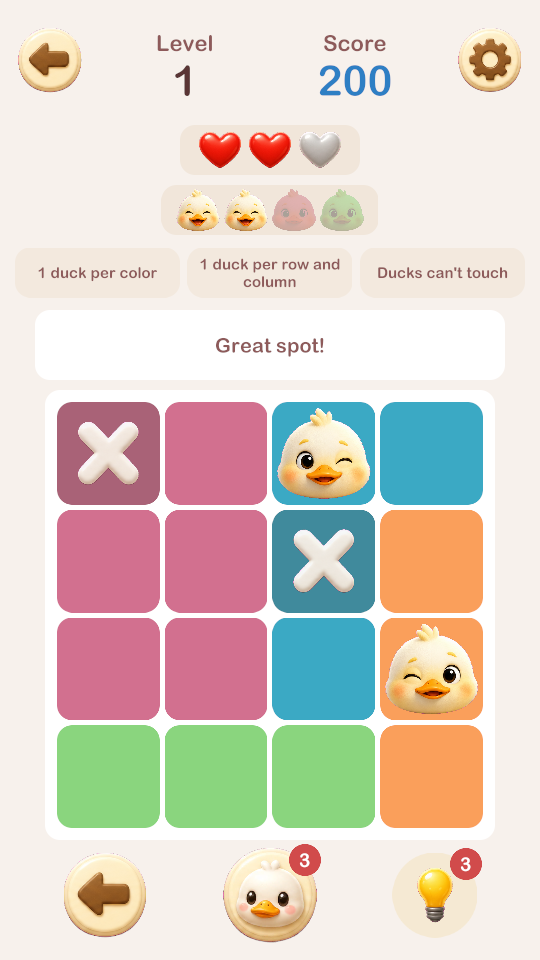 Two ducks placed. They wink. One heart lost, one cell crossed out |
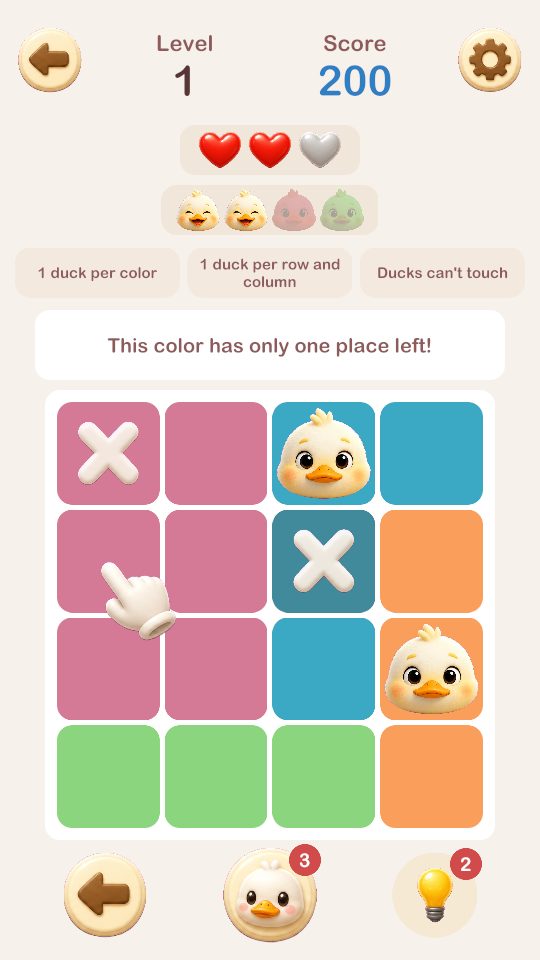 The hint and the pointing hand | 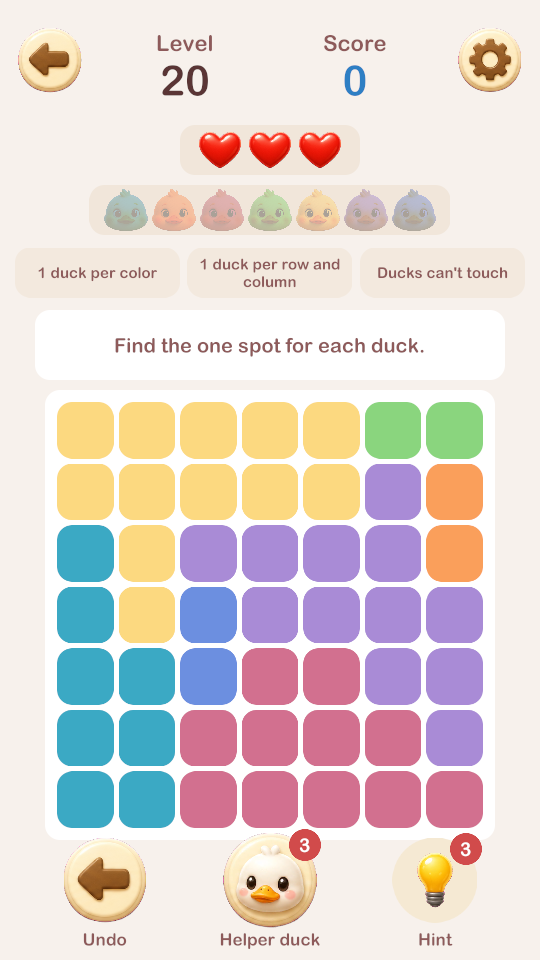 Level 20, a 7x7 board |
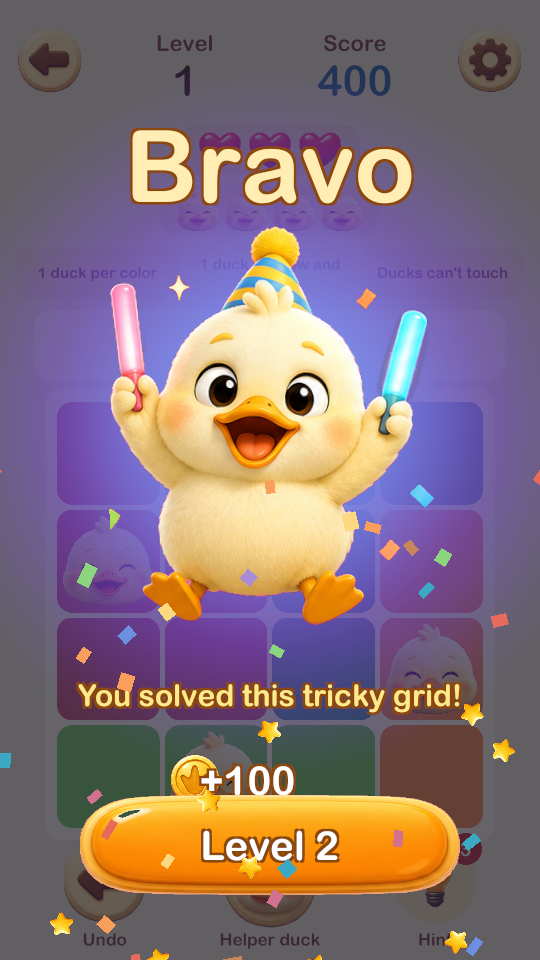 Bravo | 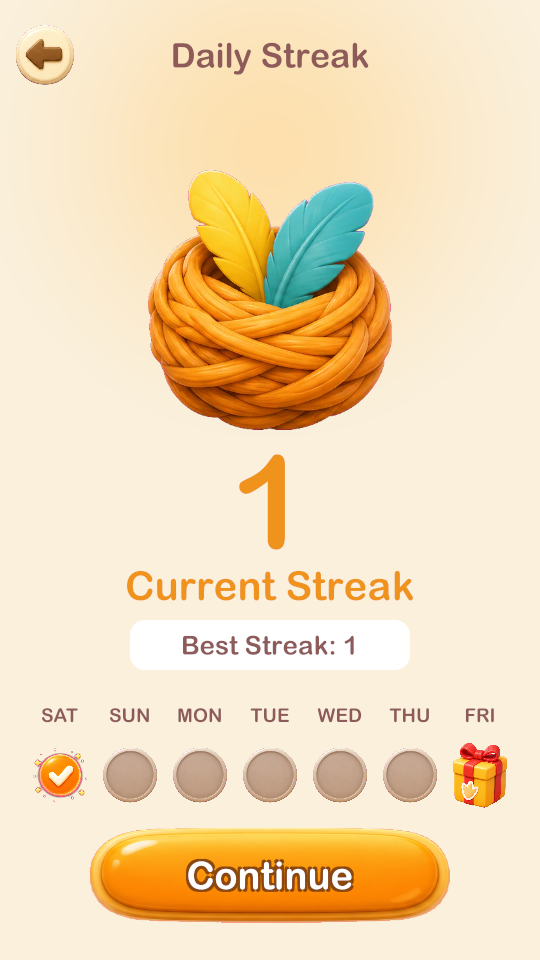 Streak |
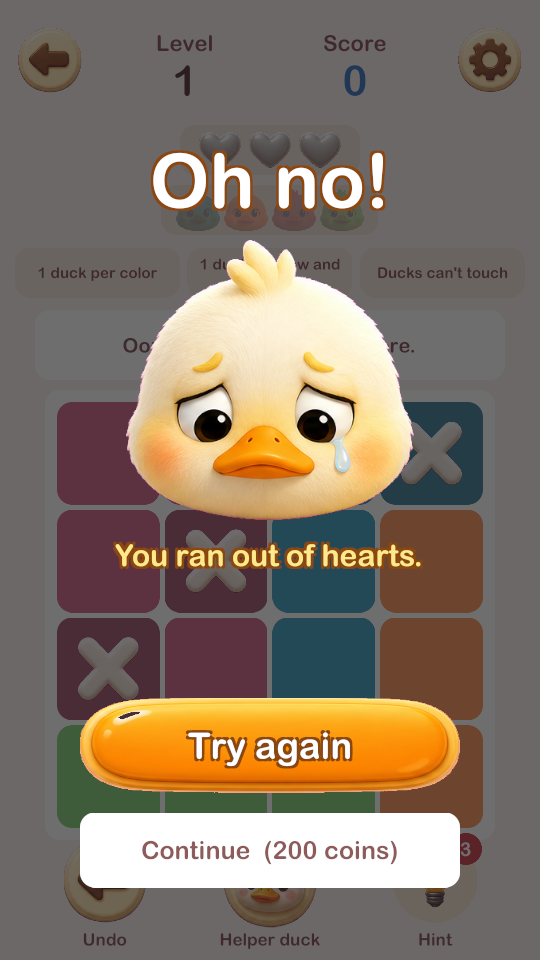 Out of hearts | 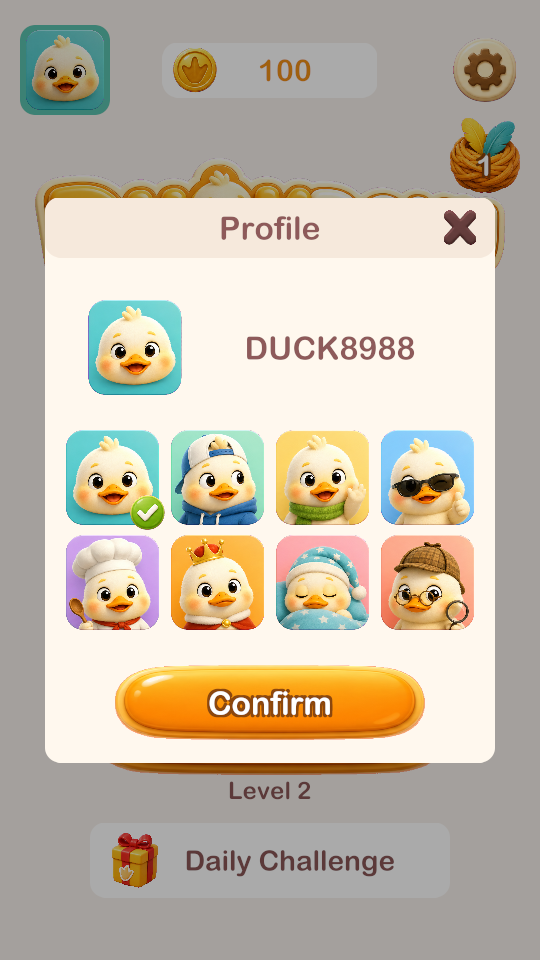 Profile |
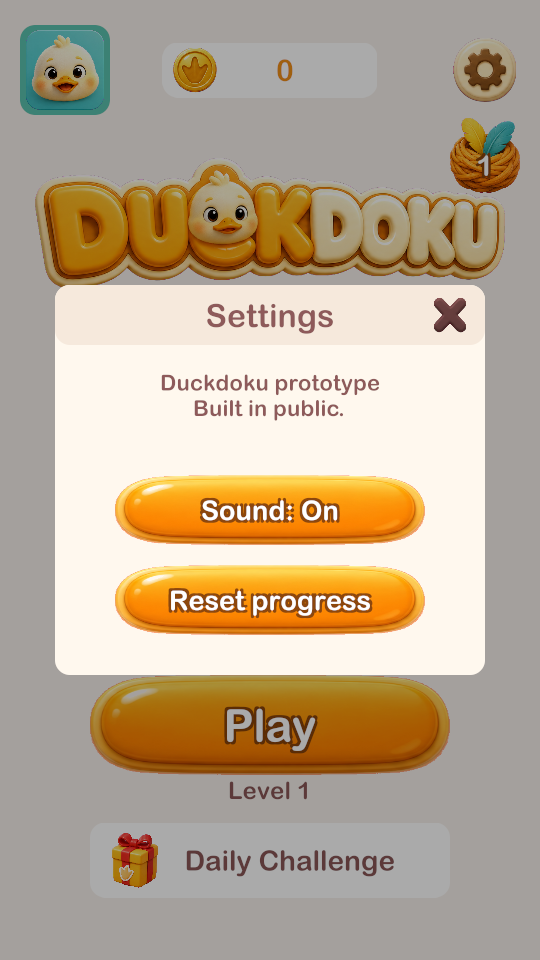 Settings | |
Unity + gameplay together
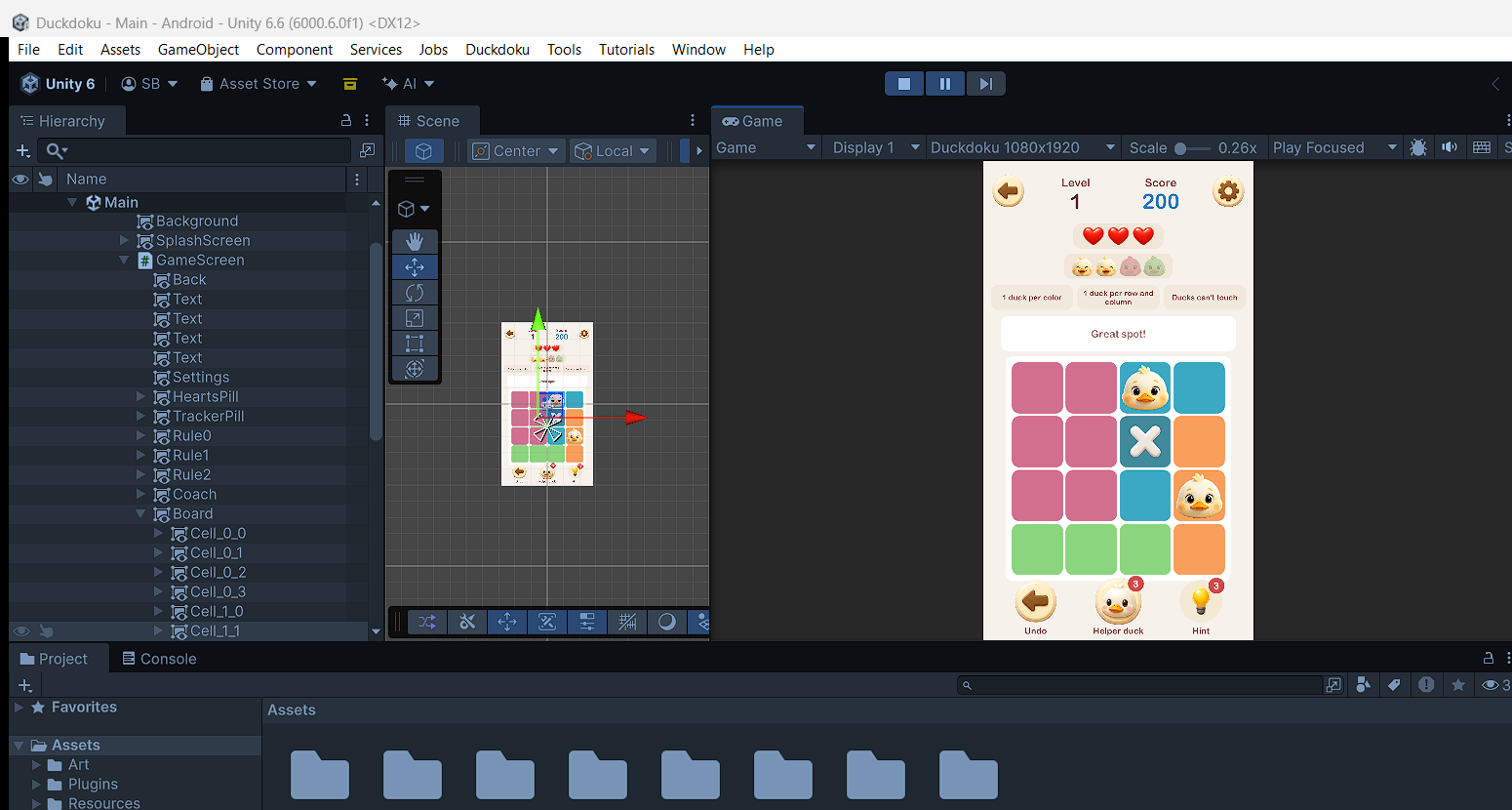
Unity UI (Hierarchy and Scene view)
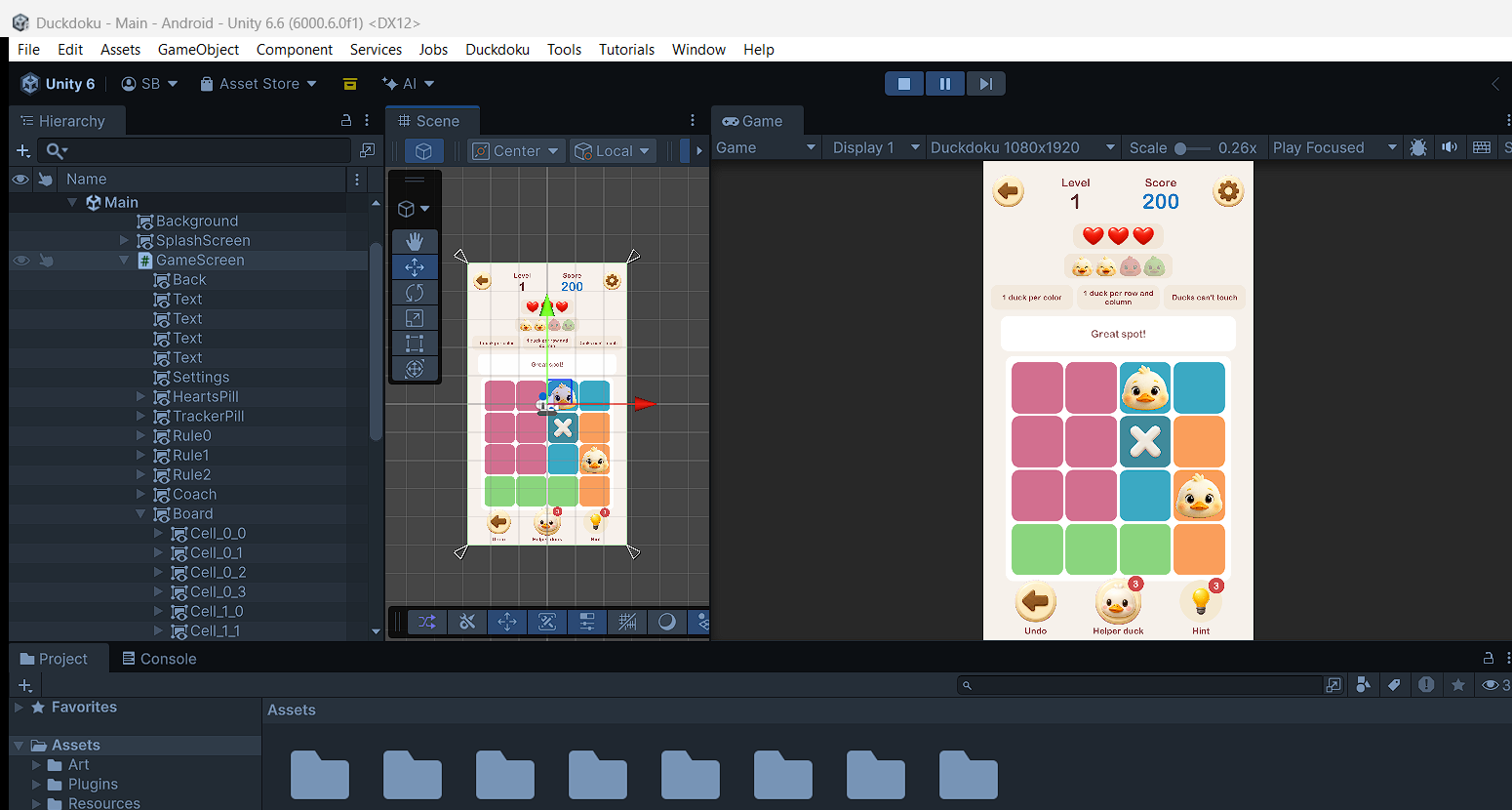
Sprite sheets are in Docs/Sprite_Sheets.
What is next
- Listen to the sounds and fix the quack.
- Fix the logo (the duck covers the C).
- Swap the font for a free one before release.
- Make 9x9 puzzles reliable.
- The three small icons on the rule cards, like the reference.
- Try it on my phone (build for Android).
- Daily Challenge needs a real test with a date change.
Day 3: Feedback round. Twelve things to fix and add
After playing the first version, I wrote down 12 problems and wishes. Here is what I did about each one.
1. The "I cannot place a duck" bug (the most important one)
What was wrong: I trusted Unity's own "click count" to know if I double-tapped. The input system only counts two clicks if they are very fast (about 0.3 seconds), so on a real mouse or finger the game almost never saw a double-tap. The duck could not be placed.
The fix: I now measure the double-tap myself. Two taps on the same cell within 0.45 seconds place a duck. The first tap's cross is taken back automatically. This does not depend on the input system any more.
2. Buttons like the reference (image 1)
All text buttons are now flat pills with round ends, wide and short: orange for the main action, grey when locked, white for the second choice, green for extras. Level 1 and a locked Daily Challenge (opens after 5 levels) copy the reference idea. I kept the round icon buttons round.
3. Copy the style, not every pixel
I redesigned the pages in my own way:
- Home: the duck waves in the middle, a soft tile pattern behind, streak as a small chip.
- Streak page: a white hero card with the feather nest and a big number, a week strip with rounded chips, and a gift chest on day 7 (reference: round circles, gift at the end, no card).
- Game screen: the title is in the middle, hearts and score are two chips, duck icons in a pill.
4. Tutorial (first run only)
A guided 4x4 board. A hand icon shows what to do and the rest of the board is dimmed:
- Double-tap a cell: the hand taps twice. The duck pops in and winks.
- Single tap a cell in the same column: the hand taps once. A cross spins in.
- Cross out another cell in the row.
- Double-tap the next duck. "Only one duck per color."
- Tap the hint bulb.
- Finish the board. Confetti, "Excellent! You've mastered the rules!" and a Start Game button.
After the tutorial, it never shows again (I can replay it from Settings).
5. Was the economy from the GPT chat built?
Partly. Here is the honest list.
| From the chat | Done? |
|---|
| Reward = play minutes x income per minute (100 coins per minute at 4x4, grows with board size) | Yes |
| Hint costs 100 coins after the free ones, helper duck: 3 free a day, then 100 coins | Yes |
| Continue after losing = 200 coins (2 minutes) | Yes |
| Daily puzzle bonus (+200) | Yes |
| Stars: +5% / +10% / +15% bonus (3 stars = no mistakes) | Yes, new today |
| Streak rewards: day 7 = 1,500, day 14 = 3,000, day 30 = 7,500 coins | Yes, new today |
| Cosmetic prices: avatars cost 1,000 to 6,000 coins (10 to 60 minutes of play) | Yes, new today |
| Income growing by world (100, 110, 120, 135 ...) | Only a simple version (grows with board size) |
| XP and levels | No |
| Rewarded ads | No (needs an ads SDK) |
6. Effects from asset packs
The pack was only 0.9 MB, so I imported it after checking its size (lesson from the sound pack). I use a mix of effects from the Hyper Casual FX pack and the Cartoon FX Remaster pack throughout the game.
7. A test page for every sound and effect
Settings > Test SFX & VFX. A hidden developer page with one button for every game sound and every visual effect, so I could preview each one on its own without playing through the whole game.
8. New duck animations (sprite sheets)
I generated two more sheets with the same duck: a 6-frame victory jump and a 6-frame crying animation. The Bravo page and the lose page play them.
9. New logo, icon, splash and featured image
- Logo: stacked DUCK / DOKU. Every letter is readable now. The duck peeks over the K.
- App icon: the duck face on an orange puzzle background. Also set as the Unity app icon.
- Splash screen: 3D duck on a puzzle board with the logo.
- Featured image for the store (1024 x 500) and a 512 icon: in
Docs/StoreAssets.
- Start-up order: icon (pops in with sparkles) -> splash -> tutorial (first time only) -> home.
10. DOTween everywhere
I used DOTween for the game's animations. I removed my old hand-made animation code.
Image cost (real numbers from the API log)
The API tells me how many tokens each image used. Output tokens cost $30 per million, and this matches your price table (1,325 tokens = $0.040, and the table says $0.041 for 1536x1024).
| Batch | Images | Estimated cost |
|---|
| First 7 sprite sheets | 7 | about $0.34 |
| Logo, win sheet, lose sheet, icon, splash, featured | 6 | about $0.32 |
| Total | 13 | about $0.66 (budget was $1) |
Two calls failed and made no image: the first featured image (size too small) and one network error.
The price of the images I gave the model as reference is a guess ($8 per million), so the real total may be a little lower. I still need to compare with the OpenAI billing page.
Bugs I found while testing today
- The placed duck was invisible: its wink animation cancelled its own pop-in. Fixed.
- The particle effects were 10 times too big for the UI and covered the screen in white haze. I scaled them down.
- The shine effect hid the big number on the streak page. Removed there.
- 9x9 boards are still not reliable, so the game stops at 8x8.
Not done yet
- I could not test a real mouse click through my tools, only the tap code. Please test the double-tap with a mouse.
- I cannot hear the sounds. Please check the quack in the test page.
- Build for Android.
Day 4: More feedback. 17 changes
I played the game again and wrote down 17 things. Here is what changed.
The double-tap bug, again (the real cause)
Last time I measured the double-tap myself, but I was still listening for Unity's click event. A click is thrown away if the finger moves even a little between press and release. That is why it worked "sometimes". Now the game listens for the press itself, so nothing is thrown away, and the time window is 1 second (I had 0.45 seconds).
New: drag to cross many cells
Press a cell and drag over other cells: they all get a cross. If you start on a cell that already has a cross, dragging takes the crosses away.
Tutorial v2 (the full lesson)
| Step | What the player does |
|---|
| 1 | Double-tap to place a duck |
| 2 | Cross out every cell the duck blocks: its row, column, color and touching cells (8 cells on the tutorial board). Tap, or drag. The coach shows a counter (3/8). The hand shows the drag. |
| 3 | Tap the helper duck (it places a duck) |
| 4 | Cross out the cells the new duck blocks |
| 5 | Tap Undo to take back the last move |
| 6 | Cross that cell out again |
| 7 | Tap the hint bulb |
| 8 | Place the last ducks |
At the end there are two buttons: Start Game and Replay tutorial.
The hand had a bug where it could be missing: I found that DOTween was re-using finished tweens, so my saved hand animation could be killed by something else. I turned re-use off, and I added a safety: if the hand is not on screen for 1.2 seconds, it comes back.
Screens
- Home: the duck, logo and buttons now stand still (they only slide in once). A red dot shows on Daily Challenge when today's challenge is waiting. I opened the daily challenge earlier (after 2 levels).
- Streak page: the nest stands still. Small gift on day 3 (+500), big gift on day 7 (+1,500). They repeat every week.
- Level complete (new design, from the reference idea): a green COMPLETE banner, the level number, 3 stars, COINS +115 (instead of points), the duck jumping on the banner, and a Next level button. Coins fly into the counter. I removed the pulsing "Bravo" text.
- Lose page: the two buttons now say what they do. Start over = a fresh board with 3 hearts. Keep playing: 1 heart, 200 coins = the board stays as it is and you get 1 heart.
- Rules at the top now have pictures: a tiny 3x3 board for each rule (duck plus crosses).
- Settings: the text no longer covers the buttons.
Sound
- Your quack: I use the file you gave me (
duck_quack_user.mp3) for placing a duck. It is 3.1 seconds long. The game plays only the first 1 second and fades it out quickly.
- Test page fixed: it has its own speaker, so you hear the sounds even when Sound is Off, and the game music is paused while the test page is open. The sound that plays turns white.
- Sound Lab (Settings > Test SFX & VFX > Sound Lab): browse every group you listed. Tap a sound to hear it, the playing row lights up, a bar on top shows the name and length, a Stop button, and a green tag USED: ... marks the sounds the game already uses. The first group is "Used in this game".
- 32 groups: Weired Winning, Winning Sounds, Fanfares, Loosing Sounds, Collecting and Counting Points, Intros, Cute Sounds, Close and Open Menus, Bing/Pling/Swooshes, Casual UI (Cancel, Click, Musicaly, Confirm, Page Change, Swooshes and Hover, Whoop), the 4 music groups, and one group for each folder of Fun Casual Sounds.
- It reads the packs straight from the Assets folder, so it works in the Unity Editor only (the packs are 5 GB and must not go into a build).
Things I could not check
- My test computer had no sound output, so I could not confirm that sounds play. The lists, tags and buttons work. Please try the test page and tell me if a sound is silent.
- I tested taps and drags by calling the game's own input code, not with a real mouse.
Day 5: A real level plan, and more polish
New sounds you picked
I picked more specific sounds from the pack for a handful of moments, and set the home screen and the game to share one background music loop, so it never restarts between screens.
Screens
- Complete: the banner is now one flat green, with no darker green layers.
- Failed: same card as Complete, in cool colors. A red FAILED banner, the crying duck sits on it, the level number, three empty hearts, and the two buttons inside the card.
The puzzle plan (from the design chat)
The design chat said the game must teach the rules through play, and that every puzzle needs exactly one answer and a difficulty a person can reach without guessing. I built that in three parts.
1. A level table (LevelDesign)
| Levels | Board | Ducks already placed | What it teaches |
|---|
| 1-3 | 4x4 | 2 | rows |
| 4-6 | 4x4 | 1-2 | columns |
| 7-10 | 4x4 | 1-2 | colors |
| 11-15 | 4x4 | 1 | no touching |
| 16-20 | 4x4 | 0-1 | the diagonal |
| 21-30 | 5x5 | 1-2 | using all rules |
| 31-45 | 5x5 | 0-1 | longer chains |
| 46-60 | 6x6 | 1 | more colors |
| 61-80 | 6x6 | 0-1 | multi-step |
| 81-100 | 7x7 | 1 | irregular colors |
| 101-125 | 7x7 | 0-1 | complex |
| 126-150 | 8x8 | 0-1 | dense |
| 151+ | 8x8 | 0 | long chains |
The starting ducks have a small lock and cannot be moved. The rule the level teaches is lit up with an orange border on the rule card, and the coach says it in one line.
2. A "human solver" (HumanSolver). It solves each puzzle like a person, and counts how hard the deductions were:
- only one place is left in a row, column or color
- a color fits in one row or column only
- the same with two colors
- "what if I put a duck here?" ends in a dead end, or the same with three colors
If none of these help, the puzzle needs guessing, and it is thrown away.
3. A generator that keeps only puzzles that fit the level. Same level, same puzzle, every time. Each puzzle shows a word under the title: Very easy, Easy, Medium, Hard, Expert.
Update (Day 10): this plan changed later. From level 21 a level can have several valid answers, and the game now shows how many. The table and the "exactly one solution" line below describe the first version. See Day 10 at the end.
Test result, all 200 levels:
- Every level has exactly one solution.
- Every level fits its row in the table (size, ducks, difficulty). 0 misses.
- Speed: 1 ms on average, 20 ms at worst.
- Difficulty goes up from 1.0/10 at level 1 to about 8/10 at level 200 (levels 1-100 are easy to medium).
My first version failed on the big boards (levels 101 and up): puzzles with one answer were too rare on 8x8. The fix: when a puzzle has several answers, the generator nudges single cells to another color until only one answer is left.
Economy numbers changed to match the plan
- Reward = expected minutes x income of the world (100, 110, 120, 135 ... 270 per minute, one world per 20 levels). Level 1 = 100 coins, level 5 = 150, level 10 = 200.
- Helper duck: 150 coins (was 100).
Not built yet (also in the design chat)
The shop with outfits (1,000 to 30,000 coins), Remove Ads, the three hint levels (highlight, explain, place) and the ad schedule. They need a shop screen and an ads SDK. I did not build them because you asked for the puzzle redesign.
Day 6: Fixes, a restart button, and the shop
- Music: home and game now play the same music track, from the same asset pack folder (I had two different copies of it playing before).
- Restart button: new round button in the bottom row (Undo, Restart, Helper, Hint). It asks "Restart level?" first, so a wrong tap does not wipe the board.
- Bug: crossing out every cell kept 3 hearts. Crossing out the cell where a duck belongs is now a mistake and costs a heart, like a wrong duck. The game waits about 1.1 seconds before it counts, because a double-tap starts with a cross on that same cell. Tested: a lone cross costs a heart, a slow double-tap still places the duck.
- Keep playing button is green.
- Only one quack. I removed the two spare "place duck" sounds from the test page and the Sound Lab. The game only uses your quack (cut to 1 second).
- Test page: now also has Failed (level lost) and Coin arrives (tick), the two sounds that were missing. Every game sound is on the page.
- Shop (new): button on the home page, next to the streak. Tabs: Ducks (hint 100, helper duck 150, 3 helper ducks 400), Outfits (the 8 duck pictures: 1,000 / 3,000 / 3,000 / 7,500 / 15,000 / 30,000 coins, from the economy plan) and Themes, No ads (both "coming soon"). Outfits never change the puzzle. I found and fixed a bug while testing: an outfit charged double.
Design change: no "one rule per 3 levels"
I first built the level table so that levels 1-20 each taught one rule (rows, then columns...). You said no: every level uses all the rules, and the tutorial (level zero) teaches them. I removed the lesson text and the orange rule highlight. The table keeps only the board size, the number of starting ducks, and the difficulty.
Day 7: Breathing room, a better shop button, and the first Android build
Spacing (checked on every screen)
Rule I now follow: at least 40 units of empty space around anything inside a card, and about 100 units between the bottom button row and the edge of the phone. The old game screen had its bottom captions only 13 units from the edge, which a phone's gesture bar would cover.
- Game screen: re-flowed from top to bottom. The board is a bit smaller (860 instead of 900) to give every row more space. The bottom buttons sit higher.
- Complete and Failed cards: taller, so the last button has real space under it.
- Shop: the cards are taller (700), every card has the same layout (picture, name, price, button), and both the Ducks and Outfits tabs scroll. The "Coming soon" card is taller and its button no longer touches the edge.
- Settings, Profile, Restart popup, tutorial end buttons: more space between the buttons and from the edge.
Coins while playing
The game screen (and the daily challenge, which uses the same screen) now has a coin chip next to hearts and score. When you pay for something, the number counts down and a red -150 floats away, so it is clear where the coins went.
Shop button
It is now a big orange button with the treasure chest sticking out on the left, and a red ! when there is something you can afford.
Test page fixes
- Buttons in the test page no longer play the button click.
- Two buttons no longer light up together: the page remembers which button you pressed, not which sound file (Wrong duck and Failed use the same file, and so do Coin arrives and Cross out).
Android
Package name com.sid.duckdoku, ARM64, portrait, IL2CPP, minimum Android 8 (API 26). The 5 GB sound packs are not in the build (only the small Resources folder is), and the Sound Lab is editor-only.
Day 8: Bigger back buttons, a full-screen "life lost", ads, purchases and the Play Store
Look and feel
- Streak page: the "This week" card is taller, the title has space around it, and the day chips and gift pictures are bigger.
- Game screen: on tall phones the extra height now goes into bigger rows and more space between them (hearts, score, coins, ducks row, rule cards).
- Back and settings buttons are bigger (150) and sit further from the screen edge on the game, home, streak and shop screens.
- Life lost: every lost heart now plays a full-screen effect: red flash, screen shake, a broken heart and a sad duck with "-1 heart" and "2 hearts left". It does not block play. On the last heart it plays first, then the FAILED card comes.
- Settings no longer shows the old prototype text.
Money side (nothing was live yet, all tested with test ads and fake purchases)
- Rewarded ads (the player chooses to watch): free hint, free helper duck, free coins in the shop (+300), double coins on the Complete card, and a free heart on the Failed card.
- Full-screen ads only after finishing a level, not before level 8, at most once every 5 levels and not twice within 5 minutes. No banner ads at all.
- Consent form (Google's own) for players in the EU and UK, and a "Privacy policy" button in Settings.
- Purchases (Google Play):
remove_ads (one time), and three coin packs coins_small (2,000), coins_medium (6,000), coins_large (15,000). The shop has new tabs Coins and No ads (with "Restore purchases").
- Why Unity In-App Purchasing if we use Google Play billing? It is only a helper library. Under the hood it talks to Google Play Billing, and it adds the BILLING permission Play Console asks for.
- In the Unity Editor, ads are a fake 2-second screen and purchases are faked, so I can test without a phone.
Play Store steps
- Made a release keystore (signing key) with a random password. It lives in the
Keystore folder and must be backed up.
- Built the first .aab (app bundle). Play Console then said one-time products need the BILLING permission, so version 2 (with purchases and ads) is the one to upload.
- Privacy policy, terms and data-deletion pages are hosted on GitHub Pages (Tetra Developers).
Day 9: Would "low" quality have been enough? (an image cost test)
All the art on Day 1 was made at medium quality. Today I asked one question: what if I had used low? So I made the same 7 sprite sheets again at low quality, and compared price, time and look.
The exact setup
- Model:
gpt-image-2 (OpenAI image API). Quality: low (Day 1 was medium). Size: 1920x1088. One image per call.
- Sheets 1, 4 and 5: a normal generation call, no reference picture.
- Sheets 2, 3, 6 and 7: an edit call with the low faces sheet as the reference picture (the same way as Day 1).
- Prompts: the same 7 prompts, word for word (sheet 1 is shown in full in "Example prompts I used" above). I did not change one word.
- My cutting script found all 58 sprites in the low sheets, the same count as before.
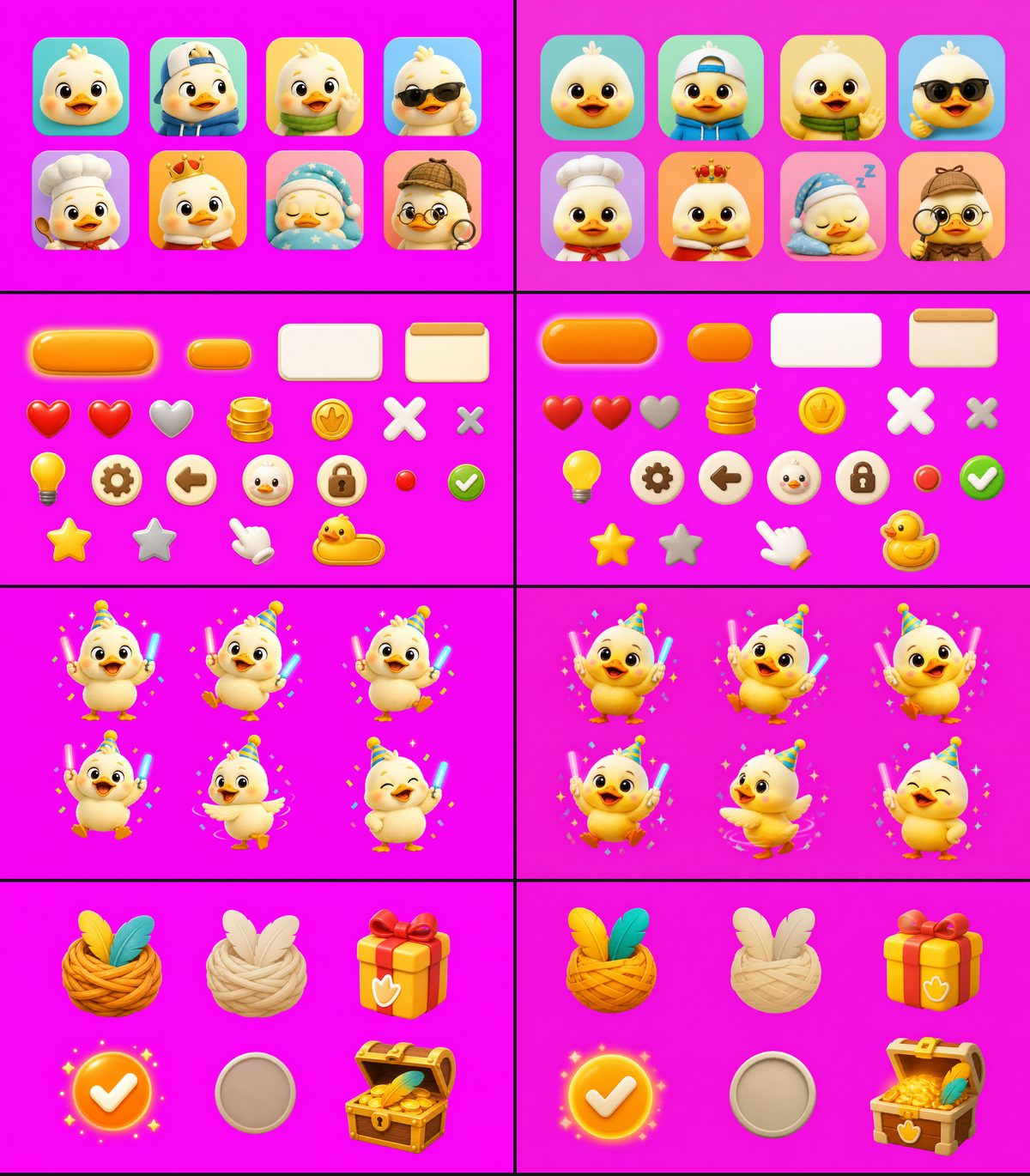
Medium quality on the left, low quality on the right (avatars, UI kit, dance poses, streak and rewards).
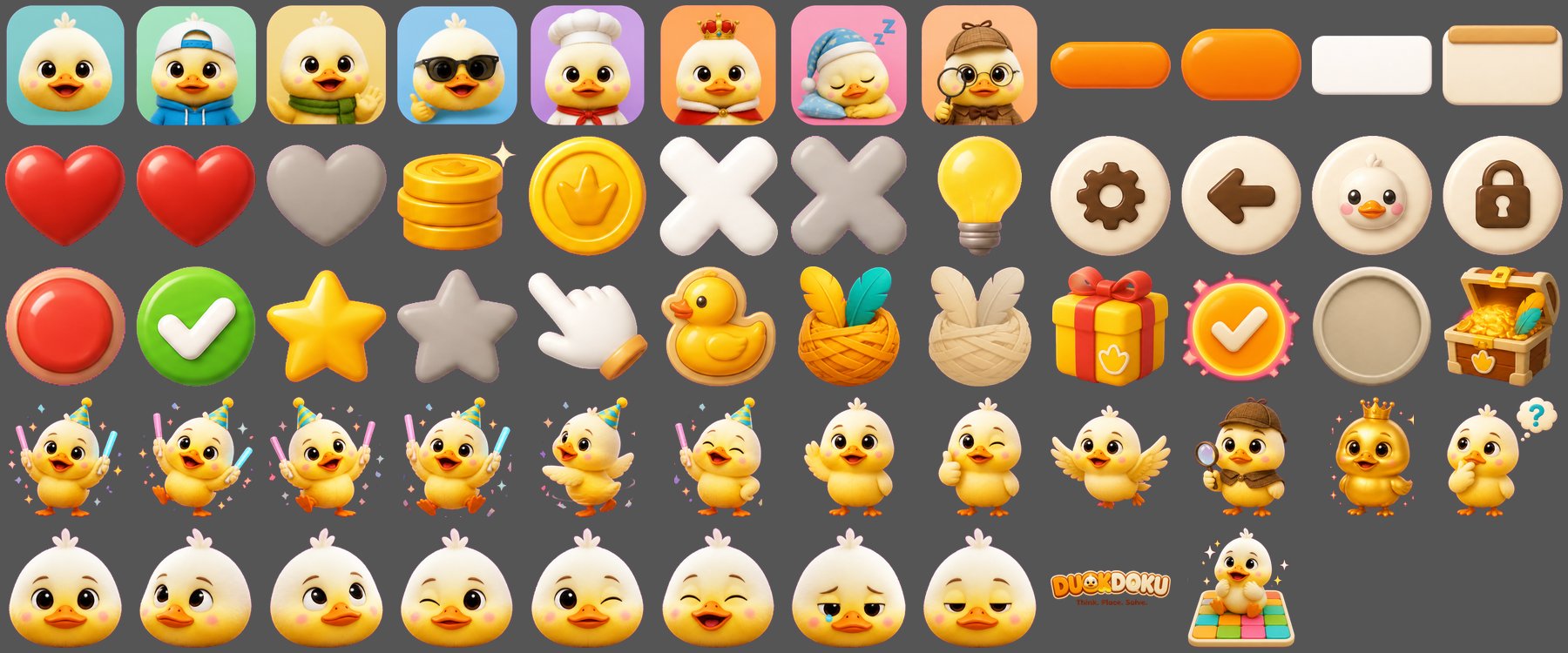
All 58 sprites cut from the low quality sheets.
Tokens, time and price (real numbers from the API log)
Tokens are the pieces OpenAI counts and charges for. Output tokens cost $30 per million (a real price). The price of input tokens is my guess ($5 per million for text, $8 per million for a reference picture), so the "estimated total" columns are only estimates.
| Sheet | Output tokens, medium | Output tokens, low | Time, medium | Time, low | Estimated total, medium | Estimated total, low |
|---|
| 1 Duck faces | 1,325 | 148 | 27 s | 17 s | $0.041 | $0.006 |
| 2 Dance and win | 1,325 | 148 | 37 s | 27 s | $0.054 | $0.018 |
| 3 Duck actions | 1,325 | 148 | 37 s | 27 s | $0.053 | $0.018 |
| 4 UI kit | 1,325 | 148 | 31 s | 19 s | $0.042 | $0.006 |
| 5 Streak and rewards | 1,325 | 148 | 28 s | 15 s | $0.041 | $0.006 |
| 6 Avatars | 1,325 | 148 | 33 s | 27 s | $0.053 | $0.018 |
| 7 Logo and splash | 1,325 | 148 | 34 s | 26 s | $0.053 | $0.018 |
| All 7 sheets | | | | | $0.34 | $0.09 |
What I learned:
- The output price is fixed by size and quality, not by the prompt. Every 1920x1088 sheet used exactly 1,325 tokens at medium and exactly 148 at low. So the price of an image can be worked out before you make it.
- Low is about 9 times cheaper on output ($0.040 against $0.004 per sheet).
- But only about 3.7 times cheaper in total, because a reference picture costs about 1,508 input tokens at any quality.
- Low is also faster (15 to 27 seconds, against 27 to 37).
Was the look good enough?
Mostly yes. Shapes, poses, faces and UI pieces are the same and sharp. What changed:
- The ducks are more yellow. Medium ducks are cream and butter yellow. Low ducks are more yellow and orange, most clearly on the dance sheet.
- The magenta background is a little darker and uneven. It still cut cleanly this time, but it is a risk for the cutting script.
- Two small changes: the "duck" button became a rubber-duck cookie shape, and the red dot got a pinkish ring.
My advice: use low for tests and first drafts. Use medium for the final art, and when a new picture must match ducks you already have.
What I did not test: I made each sheet once, so colors may change from run to run. The yellow color already shows in the low faces sheet, and that sheet was the reference for four other sheets, so part of the color change may have been passed along. I did not test low sheets with the medium faces sheet as the reference, and I did not test high quality. My estimate for this whole test is about $0.09; I still need to check it on the OpenAI billing page.
A rate limit to remember: the image API allows only 5 reference pictures per minute. On Day 1 one call failed with error 429 because of this. On Day 9 I made the 3 sheets without a reference first, then the 4 sheets with a reference, and there was no error.
Day 10: Several answers, a full-answer button, and the App Store
After the first players, I changed how levels work. These are the new rules, in plain words.
- Levels 1-20 keep one answer. On a 4x4 board with a starting duck, only one layout fits, so that is on purpose. From level 21, any layout that follows the three rules wins, and every level has at least 2 answers.
- The game shows how many answers a level has under the title (for example "3 answers"). When you open a level, a badge pops up in the middle and flies up to the title.
- Starting ducks: levels 1-50 begin with 1 duck placed for you. Levels 51-100 begin with 0 or 1. From level 101 you start with none.
- Full answer: you can pay 500 coins (the price of 5 hints) to see one complete answer. A level you finished this way gives 1 star.
- A reason, not just "no". When a duck cannot go in a spot, the game now says why in plain words, for example "Row 1 and row 3 would only have column 1 left, but each needs its own column."
- Coin rewards were balanced again, so a hint takes about 3 small levels to earn and about 1 big level.
- Small cleanup: I removed the second intro screen, and the layout now spreads out better on tall phones.
I also tested this the same way as before: a small program solved levels and counted the answers (for the rule above, with the starting ducks), and the game was played in the Unity Editor to look at every screen.
Duckdoku on iPhone and iPad
The iOS version is now on the App Store. Apple asked for the App Tracking question to come before any ad code, and I added a screenshot set in the sizes Apple needs (iPhone 6.3 inch and iPad 13 inch). A new App Store version needs a new build number every time, even if you change only the screenshots.